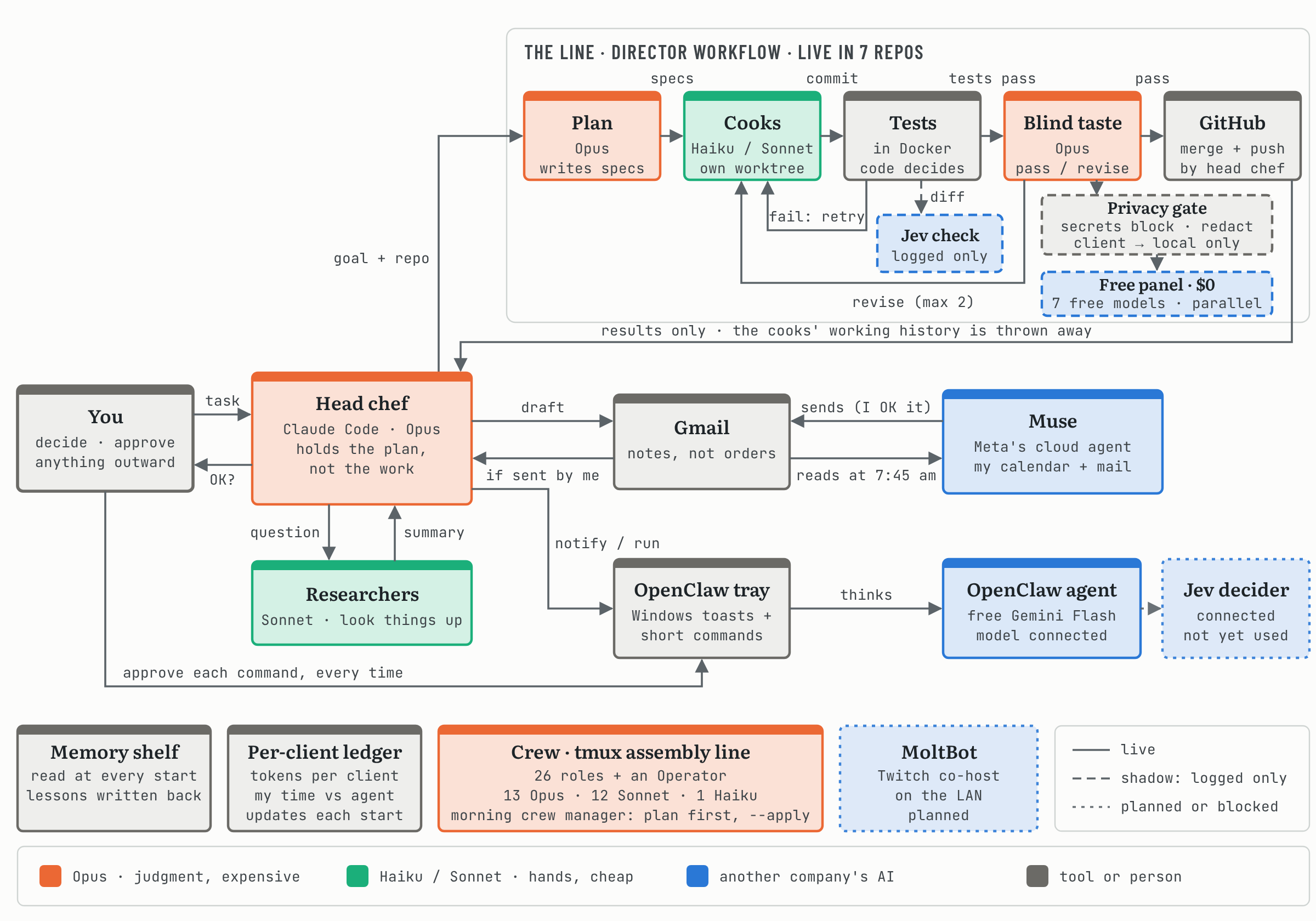
Level 3 — Optional. Read this AFTER you’re comfortable with Chapters 00-04. Most TSD interns won’t need this for months. Some never will. It’s the signature move, not the daily move.
Day-1 question: “Can I run 27 terminals in parallel?” Time budget: 2+ hours to read, days to fully internalize You’ll finish with: A mental model of TurtleWolfe’s 27-terminal tmux assembly line and the discipline to know when to use it.
The 27-terminal tmux assembly line is TurtleWolfe’s full-throttle orchestration setup. It’s used in production on ScriptHammer and TurtleWolfe (the personal portfolio), and it’s overkill for everything else. The mental model: treat your AI workforce like a real workforce — with roles, responsibilities, an org chart, a queue of work, and a council that votes on architectural decisions.
It looks like this:
┌─────────────────────────────────────────────────────────────┐
│  OPERATOR TERMINAL (outside tmux)                           │
│  - Launches the session                                     │
│  - Dispatches work to roles                                 │
│  - Monitors progress                                        │
│  - Escalates blockers to the human                          │
└─────────────────────────────────────────────────────────────┘
                            │
                            │ tmux send-keys + Enter
                            ▼
┌─────────────────────────────────────────────────────────────┐
│  TMUX SESSION "scripthammer" (27 windows)                   │
│                                                             │
│  Strategy:    CTO  ProductOwner  BusinessAnalyst            │
│  Design:      Architect  UXDesigner  UIDesigner             │
│  Wireframes:  Planner  Generator1/2/3  PreviewHost          │
│               WireframeQA  Validator  Inspector             │
│  Code:        Developer  Toolsmith  Security                │
│  Test:        TestEngineer  QALead  Auditor                 │
│  Docs:        Author  TechWriter                            │
│  Release:     DevOps  DockerCaptain  ReleaseManager         │
│               Coordinator                                   │
└─────────────────────────────────────────────────────────────┘
Each window is its own Claude Code session. Each session has its own role, its own context, its own primer (/prime [role]), and its own queue of work. They communicate by reading and writing shared files: .terminal-status.json, docs/interoffice/audits/, docs/interoffice/rfcs/.
The honest answer: most projects don’t need this. Use the SpecKit loop from Chapter 04 and you’ll ship 95% of features faster than you would with the full assembly line.
The 5% where the assembly line wins:
For these, the assembly line is genuinely faster because it’s running 27 Claudes in parallel instead of one Claude doing everything in sequence.
tmux send-keys ... Enter lesson that took TurtleWolfe a week to learn/dispatch, /queue, /queue-check, /status/rfc, /rfc-vote, /council, /memo, /broadcastCtrl+b d to detach, tmux attach, etc.).claude/roles/, docs/interoffice/, and the supporting scripts (see ScriptHammer and TurtleWolfe for reference implementations)bash ~/repos/AI_Workflow/03-slash-commands/install-full-kit.sh first.| Back to: Chapter 04 — The SpecKit Loop | Up: Curriculum overview | Next: the build log · All parts: the series in order |